
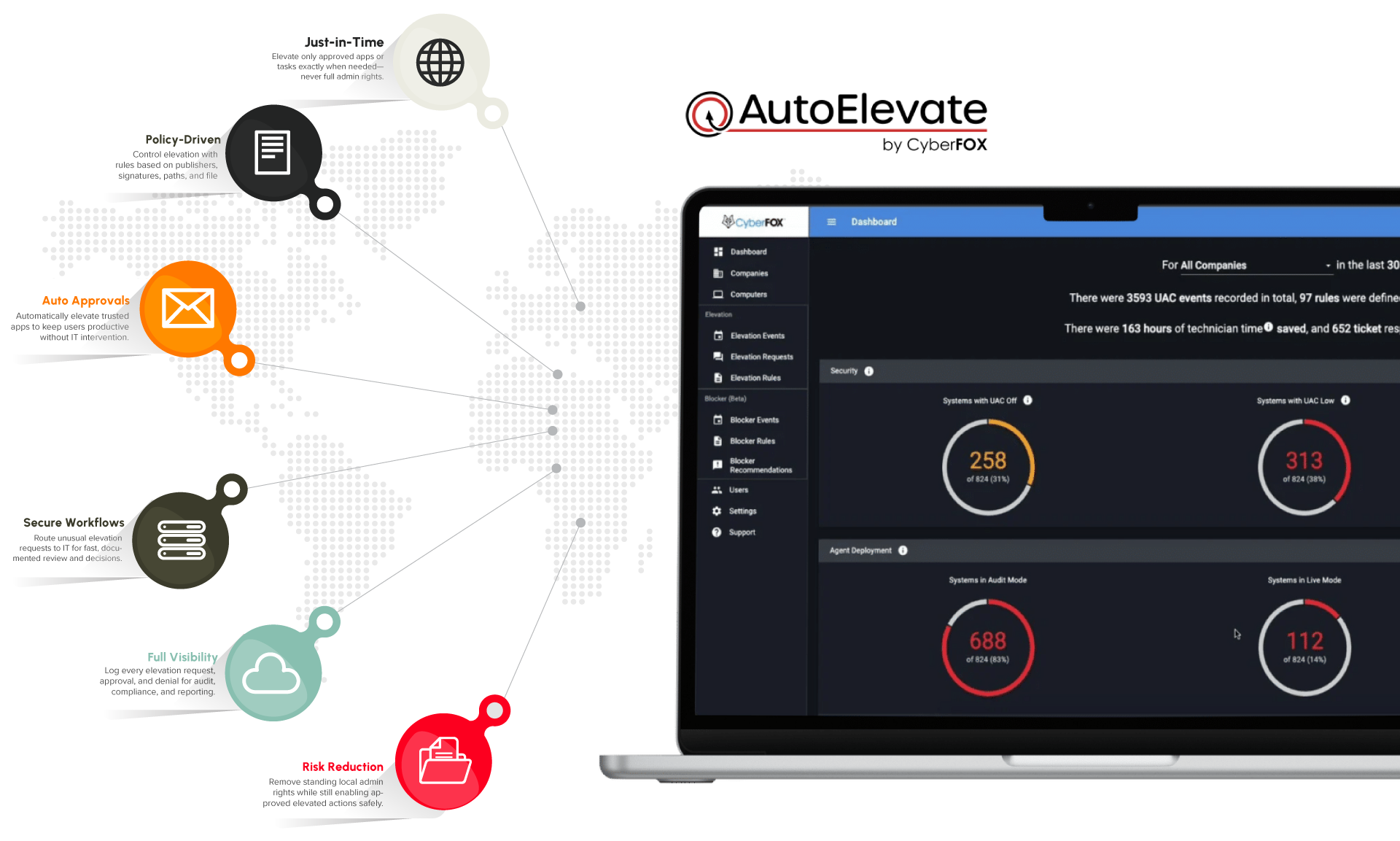

What is Privileged Access Management?
Privileged Access Management (PAM) is the discipline of controlling and monitoring elevated access—like local admin rights—so users only have the privileges they need, when they need them.
With DataComm PAM powered by CyberFox’s AutoElevate, we:
- Remove standing local admin rights from users and endpoints
- Provide just-in-time elevation for approved applications and tasks
- Automate approvals and workflows instead of relying on shared passwords or ad hoc fixes
- Log and report on privileged activity for security and compliance
Instead of leaving users as permanent local admins—or saying “no” to everything—you get a managed, least-privilege model that’s practical in the real world.
Why do organizations choose Privileged Access Management?
Uncontrolled admin rights are one of the biggest and most common risks:
- Users running as local admins make it easier for malware and attackers to take over endpoints
- Shadow IT, unapproved tools, and risky changes go unnoticed
- Shared admin passwords and one-off exceptions undermine security controls
- Compliance and cyber insurance increasingly expect least-privilege and PAM controls
DataComm Privileged Access Management (PAM) powered by AutoElevate helps close this gap by combining policy-based elevation, automated workflows, and ongoing management, so you don’t have to choose between security and usability.
How DataComm PAM powered by AutoElevate works
We use AutoElevate to deliver just-in-time privilege elevation under a managed framework.
Assess & Design
We start by understanding how admin rights are used today:
- Inventory existing local admin accounts and privileged groups
- Identify critical applications, tools, and workflows that currently require admin rights
- Review security, compliance, and operational requirements
From there, we design a least-privilege model that fits your environment and users.
Deploy AutoElevate & Baseline Policies
Next, we roll out CyberFox AutoElevate and build your initial policies:
- Deploy the AutoElevate agent to endpoints in phases
- Configure core policies for elevation requests and approvals
- Establish rules for known, trusted applications that can elevate automatically
- Define escalation paths to your IT team or to DataComm’s managed service desk
Users keep working—without needing permanent local admin.
Enforce Least Privilege with Just-in-Time Elevation
Once deployed, we move to a least-privilege posture:
- Remove standing local admin rights from end-users where appropriate
- Route elevation requests through AutoElevate instead of giving full admin accounts
- Approve or deny requests based on policies, app reputation, and context
- Create new automatic elevation rules for safe, recurring tasks
The result: granular, auditable elevation instead of all-or-nothing admin rights.
Monitor, Report & Improve
PAM is not a “set and forget” control:
- Monitor privileged activity and elevation patterns
- Identify high-risk apps, behaviors, or recurring requests
- Tune policies to reduce noise and streamline approvals
- Provide regular reporting and recommendations to further tighten access
Over time, your privileged access footprint shrinks, while user experience improves.
SecurProtect is the Offsite Data Backup solution from DataComm, built to simplify firewall administration, reduce risk from misconfigurations, and ensure your infrastructure is protected by expert oversight.
Key capabilities of DataComm PAM powered by AutoElevate
We’ve designed our service around four core pillars.
Least-privilege enforcement without user revolt
We help you remove standing admin rights safely:
- Users run as standard users by default
- AutoElevate steps in when an action requires elevated rights
- Approved tasks are elevated without giving users full admin access
- Exceptions are handled through policies, not “one-off” local admin grants
You get the security of least privilege without constant pushback.
Just-in-time privilege elevation
AutoElevate enables precise control over what gets elevated and how:
- Elevate specific applications or installers, not entire user accounts
- Use rules based on publisher, file hash, path, or other attributes
- Support both automatic and manual approval paths
- Reduce exposure time by limiting how long elevated actions can run
This dramatically limits the blast radius if a machine or user is compromised.
Integrated workflows & approvals
We align PAM with your IT processes:
- Route new or unusual elevation requests to IT for review
- Optionally integrate with ticketing or help desk workflows
- Document why access was granted, to whom, and for what
- Support different rules by role, department, or device group
Your team gets structured, documented control over privileged actions.
Visibility & reporting for security and compliance
We turn privileged access into something you can actually measure:
- Logging of elevation requests and approvals/denials
- Visibility into which apps and tasks truly require elevated rights
- Reports for auditors, leadership, and security teams
- Support for compliance and cyber insurance questionnaires around least privilege and PAM
This helps demonstrate that privileged access is controlled, monitored, and justified.
What you get with DataComm PAM powered by AutoElevate
A typical engagement includes:
Who is DataComm PAM powered by Cyberfox AutoElevate for?
This service is a strong fit if:
- Most users (or many power users) currently have local admin rights
- You’re concerned about ransomware, malicious tools, or accidental damage from elevated users
- Your security or compliance program demands least-privilege enforcement
- You want to reduce dependency on shared admin passwords and “workarounds”
- Your IT team is stretched thin and needs help managing elevation requests and policy tuning
USE CASES
Explore the Possible Applications of Privileged Access Management
Removing Local Admin from All Users
You want to tighten security but fear user backlash:
- DataComm designs a phased plan to remove local admin rights
- AutoElevate is deployed to provide app-level elevation where needed
- Users can still install or update approved tools via controlled elevation
- Risk drops significantly without breaking workflows
Controlling “Shadow IT” and Unapproved Tools
Unapproved utilities and apps keep appearing on endpoints:
- Elevation is required to install many of these tools
- AutoElevate blocks or routes these attempts for review
- DataComm and your team decide which apps to allow, deny, or conditionally permit
- Your software footprint becomes more controlled and predictable
Strengthening Ransomware & Malware Defenses
You want to reduce the impact of a compromised account or device:
- Users no longer run with standing admin rights
- Malware and attackers have fewer privileges by default
- Elevation events are controlled, logged, and reviewable
- AutoElevate rules help prevent risky binaries from being elevated at all
FREQUENTLY ASKED QUESTIONS
Common questions
No. Traditional PAM vaults focus on managing and rotating shared privileged credentials. DataComm PAM powered by AutoElevate focuses on endpoint privilege elevation and least-privilege enforcement—especially local admin rights and UAC prompts. The two approaches can complement each other.
Can you roll this out in phases?
Yes. Most organizations start with a pilot group and a subset of endpoints or departments, then expand. We strongly recommend a phased deployment with ongoing tuning.
Yes. AutoElevate is designed with distributed endpoints in mind. As long as devices can reach the necessary services, the same policies and workflows apply.
DataComm handles design, deployment guidance, and ongoing policy management. Your IT team will participate in approvals, decisions about allowed apps, and high-level governance—but doesn’t need to build the PAM system from scratch.
Next steps
To tailor DataComm Privileged Access Management powered by CyberFox AutoElevate to your organization, we recommend documenting:
- Which user groups currently have local admin rights (and why)
- Key applications and workflows that genuinely require elevated access
- Any regulatory, security, or cyber insurance requirements for least privilege
Ready to harden your network against active threats?
Schedule a Privileged Access Management strategy session with DataComm to review your current admin landscape, plan a least-privilege rollout, and see how AutoElevate can streamline secure elevation for your users.